Construction claims software: a buyer's guide for project teams
What construction claims software should do for a project team, the questions to ask in a demo, and the red flags that mean a tool is promising what only your expert can give.

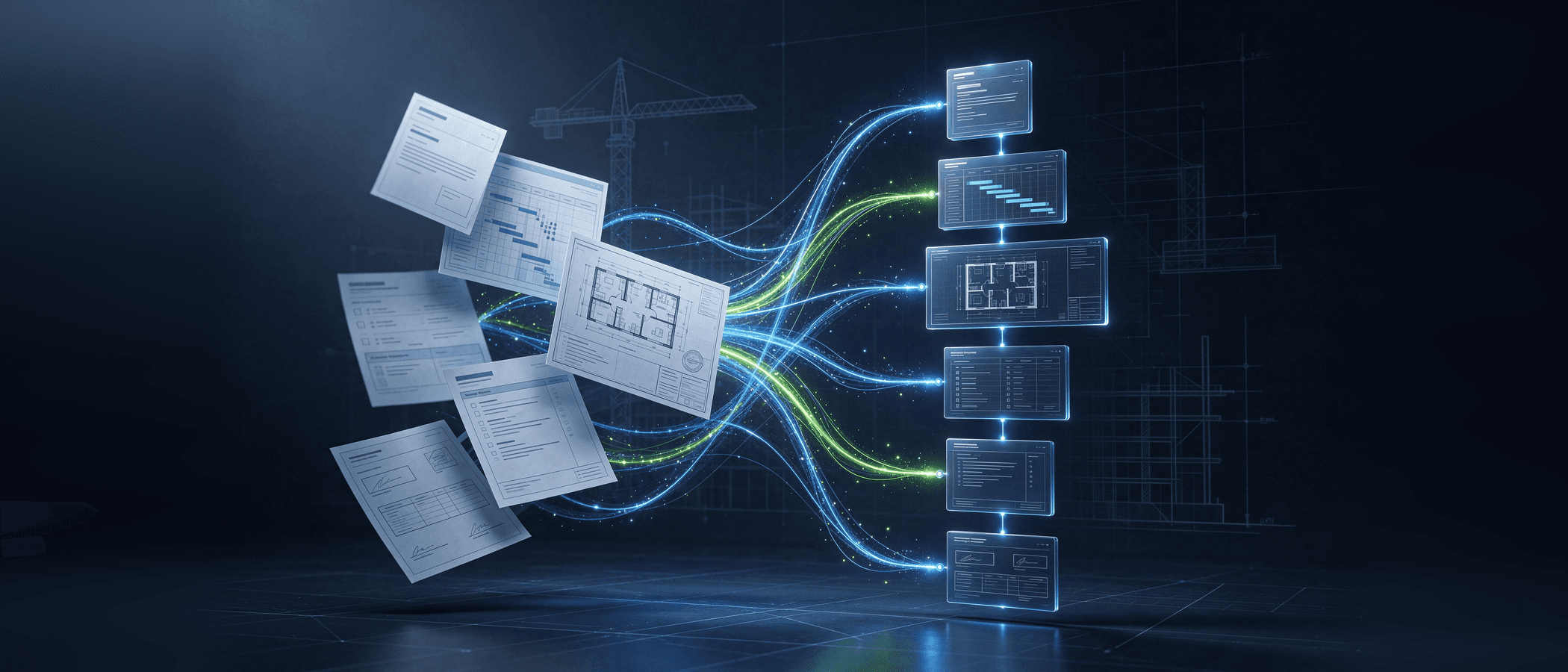
Nobody shops for construction claims software on a quiet week. You start looking because an owner decision is late, the schedule has moved, and the documents that explain why are spread across email, the document control system, a shared drive and a folder of schedule files. Somewhere in the contract a notice clock may already be running.
Construction claims software is any tool that helps a project team give notice on time, keep the contemporaneous record, find the documents behind an event and turn them into a dated, cited chronology and claim narrative for the expert. This guide is for the project manager, commercial manager or owner's rep who has to choose one. It describes the kinds of tool teams use today, the jobs a claim actually needs done, the questions worth asking in a demo, and the red flags. It names no claims software vendors. We make one of these tools, so the section on where Storia fits is at the end, and it says what Storia does not do.
The problem you are actually buying for
Two things make a claim hard, and neither of them is writing.
The record is scattered. The change request is in the document control system, the decision that was never made is in several sets of minutes, the owner rep's reply is in someone's inbox, and the slip is in a schedule update nobody has opened since. Each tool holds its own piece, filed by document number rather than by event. Putting the pieces in date order is the part that takes weeks. (Opinion.)
The deadline is running. On some contracts a late notice forfeits the entitlement outright. The library's page on notice and time bars records that FIDIC 2017 Sub-Clause 20.2.1 and NEC4 clause 61.3 work that way, while JCT 2024 generally does not, and that under CCDC 2 – 2020 GC 6.5.4 the clock runs 10 Working Days from the commencement of the delay, not from when anyone noticed it. The EOT claim readiness checklist puts it plainly: notice is the only element you cannot repair later.
Construction claims readiness, in other words, is mostly a records question. Underneath it sits a rule that should shape every software decision. As the library's records and evidence page puts it, the method available to you is a function of the records you kept. Software cannot create a record that was never made. What it can do is help you keep the record properly, find it quickly, and present it so a stranger can check it.
The buying question is not which tool writes the best claim. It is which tool helps you prove each fact from a dated record before the deadlines pass.
What teams use today
Whether the search is for claims management software, delay claim software or claim chronology software, most teams already own several of the tools below, and each does part of the job well. The gaps are in the hand-offs between them. (Opinion.)
| Kind of tool | What it does well | Where it falls short for a claim |
|---|---|---|
| Spreadsheets and shared drives | Flexible, familiar, cheap. Good for a notice log or an issues register | Every link from a row to a document is typed by hand. Versions drift, and nobody can tell which copy was current on a given date |
| Scheduling software | Holds the baseline, the logic and each update. The only place the critical path lives | Shows that an activity moved, not which documents explain why |
| Document control systems | The formal register: transmittals, RFIs, submittals, revisions, with dates | Organised by document, not by event. Search works on numbers and titles, so the story across documents is still assembled by hand |
| eDiscovery review tools | Built for lawyers reviewing large collections for disclosure, with tagging and privilege workflows | Usually arrive after the dispute starts, after a collection exercise, and are designed for legal review rather than for a project team mid-job |
| Specialist claims tools | Vary widely: some are registers and workflows, some assemble chronologies and narratives, some focus on schedules | Hard to compare, because "claims software" covers very different products. Start from the jobs below, not the label |
(Opinion, on every row: these are generalisations about categories, and individual products differ.)
The jobs a claim needs done
Before you look at any product, list the jobs. A claim needs roughly seven, and they happen at different times and are often done by different people. No single tool does all of them well, so decide which ones you are buying for. (Opinion.)
| Job | What good looks like | Read |
|---|---|---|
| 1. Notice tracking | Every event logged with its clause, its clock, the person the contract names as recipient, and proof of service. A minute or a monthly report is not a notice | Notice and time bars |
| 2. Contemporaneous records | Native schedule updates with a narrative for each logic change, daily reports written on the day, RFI and submittal logs dated on both sides | Records and evidence |
| 3. Finding the documents behind an event | Everything that touches one change or one slip, across mail, minutes, RFIs, drawings and the schedule, in minutes rather than weeks | Readiness checklist |
| 4. A dated chronology | Every entry dated, with a record reference against it, so a stranger can check each one | Readiness checklist |
| 5. Narrative and exhibits | Contractual basis, chronology, causation, time, cost and a records index, with exhibits labelled and placed | How to write an EOT claim |
| 6. Quantum support | Cost records by period, so the money can be tied to the weeks the delay was felt. Time and money are separate gateways | Prolongation and delay costs |
| 7. Handing over to the expert | Native files, the full record behind each statement, and outputs your expert can reproduce and edit | Records and evidence |
Two jobs deserve a word of caution. Notice tracking is a deadline problem, and a tool helps only if someone keeps it current; the notice still has to be served by the party claiming, through the contract's notices clause. And the delay analysis itself, the choice of method and the critical path opinion, belongs to the person who will stand behind it. The library's delay analysis methods page sets out which methods a given record set will support.
For the claim families, the life of a claim and why claims fail, start from the construction claims guide. For what an extension of time claim must contain, use the readiness checklist.
Questions to ask in a demo
Bring one live issue from one of your own projects, with its documents, and ask the vendor to work on that rather than on their sample. A demo on clean sample data tells you very little about your record. (Opinion.) Then work through these questions.
Does it read the record where it lives?
Ask whether the tool reads your document control system, mail, shared drives and schedules in place, or whether everything has to be exported and uploaded first. A tool that needs a bulk migration before it shows value will be a project in its own right, and the copy it holds starts going stale the day you make it. (Opinion.) Ask what it writes back into your systems, if anything.
Does every statement open its source page?
Point at any sentence in the output and ask to see the page it came from. Not the file, the page. A chronology entry, a paragraph of narrative or a number in a summary should each open the record behind it. This is the most useful test in the demo, because the readiness checklist treats a claim as ready only when a stranger to the project could check every assertion against a dated record. (Opinion.)
Does it handle scans and native schedule files?
Much of the record that matters arrives as scanned PDFs: signed letters, marked-up drawings, handwritten site diaries. (Opinion.) Ask whether those are read or skipped. For the schedule, ask whether the tool reads native files. The library is direct on this: a PDF of a schedule cannot be interrogated for logic, constraints or float, so it supports no critical path method (records and evidence).
Does it keep every schedule version?
The update series is the record that carries a delay case, and the library calls unexplained logic changes between updates the single most damaging artefact in a record set. Ask whether the tool keeps the baseline and every update, compares them, and shows what moved between versions. Ask what it does when movement has no explanation in the record: flag it, or smooth it over.
Is the output editable?
Your expert and your lawyer will rewrite whatever you hand them. Ask for the output in a format they can edit, with the exhibits and their references intact. A narrative that can only be read inside the vendor's viewer is a presentation, not a working file. (Opinion.)
Security and data residency
Claims files hold commercially sensitive material. Ask where the data is hosted and whether you can choose the region to meet your contract terms, how your record is kept apart from other customers', whether it supports your company sign-on and role-based access, and how data is encrypted at rest and in transit.
Who owns the output?
Ask who owns the chronologies, narratives and exhibits the tool produces, what happens to your data and your outputs if you stop paying, and whether you can export everything in a usable form. Get the answer in the contract, not the demo.
How does it work with your expert and lawyer?
Ask how the tool hands over to a delay or quantum expert, and whether the expert can trace every statement back to the record without the tool. If the tool uses AI, ask how its outputs can be reproduced and what is kept of the inputs. The library's records and evidence page (last reviewed 13 October 2026) notes that no standard-form amendment and no recognised protocol governs the evidential status of AI-generated project documentation, while the Ciarb Guideline on the Use of AI in Arbitration (Article 7) requires disclosure where AI use may affect the evidence or the outcome, and extends to party-appointed experts. The working position the library recommends: preserve the inputs and parameters, be able to reproduce the output, and never use a tool to reconstruct as-built data the records do not support.
What is the pricing model?
Ask what you pay for: per project, per user, per document volume, or per claim. Ask what a second project costs, and whether the price assumes you use it from the start of a job or only in a dispute. A tool priced for disputes tends to arrive after the records it needed were lost. (Opinion.)
Red flags
A buyer's checklist
Where Storia fits
Storia is one of the specialist tools in this market, so read this section with the red flags above in mind. It is built for the middle of the list: finding the documents behind an event, the dated chronology, and the narrative and exhibits you hand to your expert. It reads the project record where it lives (Aconex, SharePoint, Outlook and Primavera P6), reads every page, scans included, and builds the project narrative while the job runs; its delay report traces each slip to the documents behind it and counts critical path days, by party. When a claim is needed, it assembles a dated chain of events and an editable claim narrative with exhibits, every paragraph citing its page, including the critical path and cost impact, which the product describes as "a structured first draft, not a filing", ready for your expert and counsel. It does not decide entitlement, give legal advice, or replace your expert or lawyer. See Claims & Dispute Resolution and Schedule Intelligence, or book a demo and bring one of your own projects.
Sources
Every legal statement above is taken from the Storia library pages linked in the text. The two instruments named directly are below.
- Society of Construction Law, Delay and Disruption Protocol, 2nd Edition (February 2017)scl.org.uk (opens in a new tab)
Core Principle 17 discourages global claims. Cited through the library's records and evidence page.
- Chartered Institute of Arbitrators, Guideline on the Use of AI in Arbitration (March 2025, updated September 2025)ciarb.org (opens in a new tab)
Article 7 on disclosure of AI use that may affect the evidence or the outcome, extended to party-appointed experts. Cited through the library's records and evidence page.